
Chromebook: Your Fast, Secure, and Simple Digital Companion
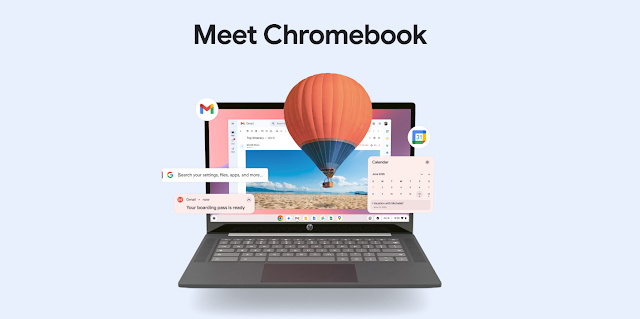
Chromebooks have carved a unique space in the laptop market by prioritizing simplicity, speed, and security. Designed around Google’s ChromeOS, they offer a refreshing approach to personal computing, focusing on web-based applications and cloud services.
Specifications (Typical Range):
It’s important to note that Chromebook specifications can vary widely depending on the model and manufacturer.
However, here’s a general overview of what you might find:
- Processors: Intel Celeron, Pentium, Core i3/i5/i7 (low-power variants), MediaTek Kompanio series, AMD Ryzen. Performance ranges from basic everyday tasks to more demanding workloads on higher-end models.
- RAM: Typically 4GB or 8GB, with some higher-end models offering 16GB. Sufficient for smooth multitasking with web applications and Android apps.
- Storage: Usually 32GB, 64GB, 128GB, or 256GB eMMC or SSD. Chromebooks rely heavily on cloud storage (like Google Drive), so local storage might be smaller than traditional laptops. Many include microSD card slots for expansion.
- Display: Screen sizes range from 10 inches to 15.6 inches. Resolutions vary from HD (1366 x 768) to Full HD (1920 x 1080), with some offering touchscreens and 2-in-1 convertible designs.
- Graphics: Integrated graphics (Intel UHD Graphics, AMD Radeon Graphics, or ARM Mali). Suitable for everyday tasks, web browsing, and light gaming (Android games). Not typically designed for high-end gaming or intensive graphics work.
- Ports: USB Type-A and Type-C ports are common. Many include a headphone jack and sometimes an HDMI port.
- Connectivity: Wi-Fi (802.11 ac/ax) and Bluetooth are standard. Some models may offer LTE connectivity.
- Battery Life: A significant strength of Chromebooks, often ranging from 8 to 12+ hours on a single charge.
- Operating System: ChromeOS with automatic updates managed by Google.
- Security: Titan C security chip (on some models), verified boot, automatic updates, and sandboxing for enhanced protection against malware.

Specialty:
Chromebooks stand out due to their:
- Speed and Simplicity: They boot up in seconds and offer a clean, easy-to-use interface centered around the Chrome browser.
- Cloud-First Approach: Optimized for web applications and seamless integration with Google services like Gmail, Google Drive, and Google Workspace.
- Enhanced Security: Built-in security features and automatic updates minimize the risk of viruses and malware.
- Long Battery Life: Designed for portability and extended use without needing to be plugged in.
- Integration with Android Apps: Most modern Chromebooks support running Android apps from the Google Play Store, expanding their functionality.
- Lightweight and Portable Design: Generally thinner and lighter than traditional laptops, making them easy to carry around.
Advantages:
- Affordability: Chromebooks are often more budget-friendly than traditional Windows laptops or MacBooks.
- Ease of Use: The simple and intuitive ChromeOS is easy to learn, even for first-time computer users.
- Automatic Updates: Google handles software and security updates automatically in the background, ensuring you always have the latest features and protection.
- Strong Security: Built-in security features reduce the need for additional antivirus software.
- Excellent Battery Life: Allows for all-day use on a single charge.
- Fast Boot Times: Get started working or browsing almost instantly.
- Seamless Google Integration: Works flawlessly with Google’s suite of apps and services.
- Access to Android Apps: Extends functionality with a wide range of mobile applications.
- Low Maintenance: Fewer software installations and updates to manage compared to traditional operating systems.

Price in India:
The price of Chromebooks in India varies significantly based on the brand, specifications, and features. you can generally find Chromebooks in the following price ranges:
- Entry-Level Chromebooks: Starting from around ₹12,000 to ₹20,000. These typically feature Intel Celeron or MediaTek processors, 4GB of RAM, and 32GB or 64GB of storage. They are suitable for basic tasks like browsing, email, and document editing. Examples include some models from Lenovo, HP, and Acer.
- Mid-Range Chromebooks: Ranging from approximately ₹20,000 to ₹40,000. These often offer better processors (like Intel Pentium or Core i3), 8GB of RAM, and 64GB to 128GB of storage. Some may include touchscreens and 2-in-1 functionality.
- Premium Chromebooks: Priced upwards of ₹40,000, going even higher for high-end models. These feature more powerful processors (like Intel Core i5 or higher), larger RAM and storage options, high-resolution displays, and premium features. Examples include higher-end models from HP and Lenovo.
Where to Buy: Chromebooks are available from major online retailers in India like Amazon India and Flipkart, as well as from the official websites and offline stores of brands like HP, Lenovo, and Acer.
You can also find them in large electronics retail chains across India.
Note: Prices can fluctuate based on discounts, offers, and the specific retailer. It’s always a good idea to compare prices from different sources before making a purchase. You might also find good deals on older or refurbished models.
Buy from here – https://amzn.to/44ovTdC
#GoogleOS #OperatingSystem #Tech #Software #Innovation #GoogleProducts #ChromeOS #Chromebook #GoogleChromeOS #CloudComputing #LightweightOS #SecureOS #ChromeOSFlex #ChromebookLife